Gigabyte
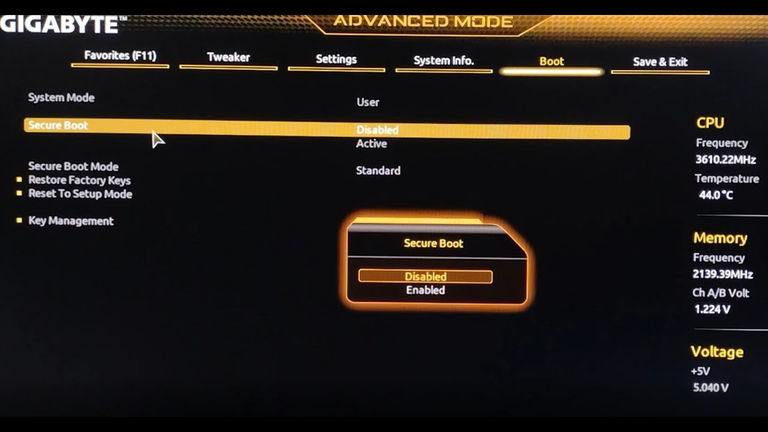
To disable Secure Boot on a Gigabyte motherboard, you should follow
these steps:
- Restart your computer and press [F2] to enter the BIOS setup.
- Navigate to the [Security] tab, find [Default Secure Boot on], and
set it to [Disabled].
- Go to the [Save & Exit] tab, choose [Save Changes] and confirm
with [Yes].
- Return to the [Security] tab, select [Delete All Secure Boot
Variables], and confirm with [Yes].
- Finally, choose [OK] to restart your computer.